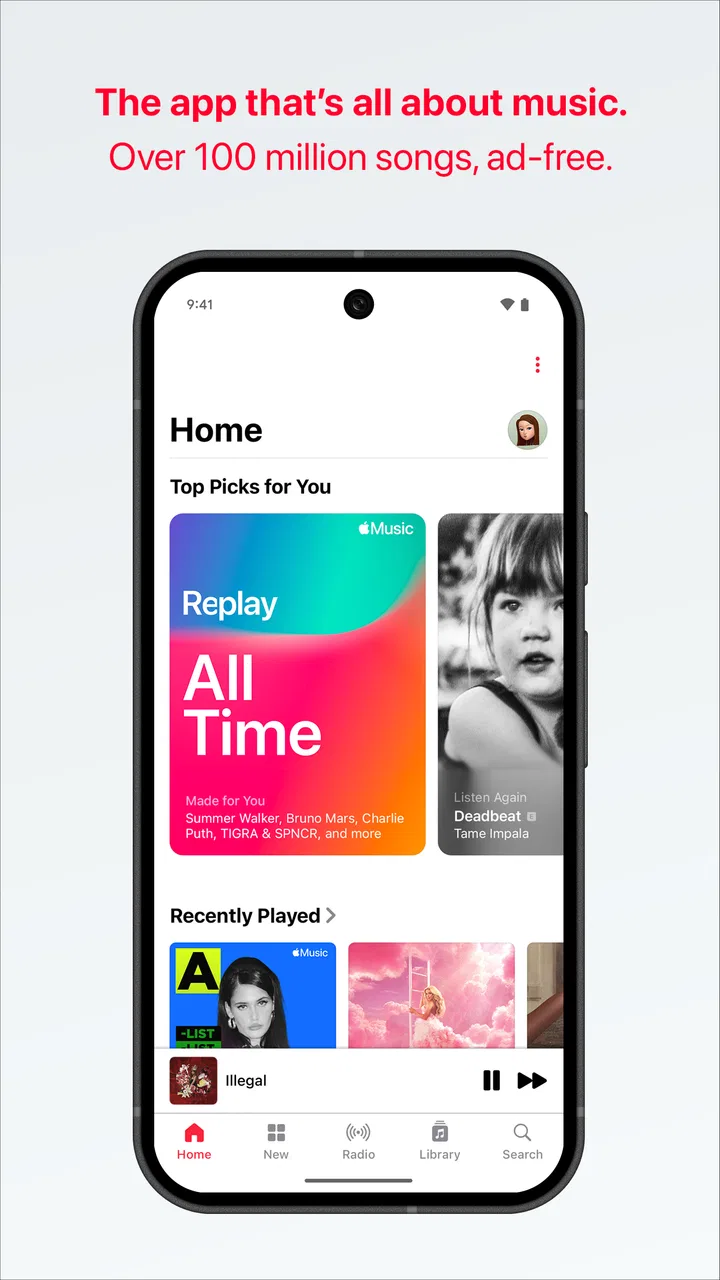
Apple Music
- 4.6
- Rating
- 100.00M
- Installs
- Free
- Price

 Analysis by App-foxy
Apple Music is the kind of listening app I recommend when music matters more to you than discovering a social feed around it. I found its strongest quality in the simple promise behind the service: a huge, ad-free catalog that is easy to carry from a quick commute to a carefully organized personal library. It is made by Apple, but this Android app is not only useful for people already surrounded by Apple devices. It can also make sense for someone who wants a polished music service without advertisements interrupting an album.
My overall view is positive, with one important qualification: the experience is best when I am willing to spend a little time shaping the library and recommendations. If I only want a completely free player or I prefer a more social discovery experience, another option may suit me better. Apple Music is free to install, but the listening experience is built around in-app purchases, with individual items ranging from $5.99 to $199.99. That makes it worth treating the app as a service to evaluate rather than assuming the download alone provides unlimited listening.
What using Apple Music feels like day to day
In normal use, I move between three habits: searching for a specific artist, returning to albums I already know, and letting the app suggest something for the moment. That balance is where Apple Music feels more mature than a basic audio player. It is not merely a place to press play on files stored on a phone. It is designed around a broad online catalog, personal listening choices, and the convenience of having familiar music available without ad interruptions.
You May Also Like

 Blood Strike: 2.5 Anniversary
Blood Strike’s Loadouts Turn Every Drop Into a Tactical Gamble
A close look at Blood Strike’s custom loadouts: how fast access to signature weapons reshapes its battle royale rhythm, rewards preparation, and narrows the gap between fights.

 Pandora - Music & Podcasts
Pandora’s Music Is Easy to Start, but Harder to Recover
Pandora’s strength is its low-effort path from a seed to a station. Its weak spot is how much confidence it asks you to place in connection, setup, and quiet recovery.

 8 Ball Pool
8 Ball Pool Is Built on Rivalries, Rematches, and Routine
A close look at the rivalries, rematches, shared routines, and unanswered safety questions that turn a quick pool match into a persistent mobile community.

 Samsung Music
Samsung Music’s Quiet Strength Is Playing What You Already Own
Its reach comes less from spectacle than from dependable access to a personal library. That simplicity is both the app’s strongest retention engine and its ceiling.

 AccuWeather: Weather Radar
AccuWeather Review: A Quick, Clear Forecast for Everyday Decisions
For everyday plans, the best forecast is the one you can understand quickly. AccuWeather makes rain timing, radar, and local conditions easy to act on, with a few trade-offs.

 Hill Climb Racing
Why Hill Climb Racing Still Turns Crashes Into One More Run
A tiny car, a bumpy hill and one more upgrade: Hill Climb Racing keeps resurfacing because its simple chaos makes every near-miss feel personal.
More From Our News Desk



The app belongs to the Music & Audio category, and that description fits its center of gravity. I use it when I want music to stay in the background while I work, but I also appreciate it when I decide to listen properly with headphones. The same service handles both situations without making me maintain separate collections for casual and focused listening.
Its public reception is strong: Apple Music holds a 4.6 average from around 704 thousand ratings, and it has passed 100 million installs. Those figures do not replace personal testing, but they do match my impression that this is a well-established service rather than an experimental player. It was released on November 10, 2015, and that long presence shows in the way the app feels built for repeated use instead of a single novelty session.
Searching is better when I know what I want
The fastest way to enjoy the app is to search with a clear intention. Looking for an artist, album, or song gets me to the music quickly, and that matters when I am already walking out the door or trying to start a playlist before a workout. I also find album-based listening more satisfying here than constantly jumping between isolated tracks. Choosing an album gives a listening session a shape, while individual songs remain easy to reach when I want something specific.
A useful habit is to save music as I encounter it instead of assuming I will remember it later. I treat the library as a personal map: albums for deliberate listening, songs for quick returns, and playlists for situations rather than genres alone. A playlist for cooking, for example, is more practical than a vague collection called “favorites,” because the purpose tells me what to play when I am busy.
This approach also exposes one of the app’s quiet strengths. The larger the library becomes, the less I depend on search. I can open the app and choose from music I have already marked as worth hearing. That sounds obvious, but it changes the service from a giant catalog into something that feels personal. The trade-off is that the first few sessions require some organization if I want the app to reflect my taste rather than simply present an enormous number of choices.
Ad-free listening changes the rhythm
The absence of advertising is not just a small convenience. It affects how I use the service across a full afternoon. A playlist can continue without a spoken interruption, a mood can remain intact, and an album can be heard as a complete piece rather than as background around promotional breaks. For studying, reading, or hosting friends, that uninterrupted flow is one of the clearest reasons to choose this app.
I especially notice the difference during everyday transitions. Imagine leaving home with headphones on, listening to a playlist while traveling, then continuing the same session while preparing lunch. I do not have to keep checking the phone because an advertisement has changed the atmosphere or because I need to skip something unrelated to the music. That consistency is more valuable than it sounds, particularly for people who use audio to create a steady environment.
Still, ad-free listening does not mean the service is automatically the best value for everyone. People who listen only occasionally may not care about interruptions enough to pay for a subscription. Someone who already owns a collection of purchased or downloaded music may also prefer a local player with no recurring service commitment. Apple Music earns its place when the breadth and convenience of streaming are central to the way you listen.
Small workflow choices make a large catalog manageable
My most practical tip is to avoid trying to organize everything at once. I start with a handful of albums and playlists that represent how I actually listen, then let the collection grow naturally. Marking every interesting result can make the library noisy and reduce the value of returning to it. Being selective gives the app better personal context and makes recommendations easier to judge.
I also separate “music I want to explore” from “music I want available immediately.” The first group can be temporary; the second should contain reliable favorites. This simple distinction prevents a common problem with large streaming services: spending more time sorting choices than listening to them. Apple Music is powerful enough to offer endless options, but its best everyday experience comes from narrowing those options into a collection I recognize.
Another useful workflow is to build playlists around duration and energy, not only artists. A short, calm list works for a morning routine, while a longer and more varied one suits travel. This makes the app feel responsive to real life rather than like a catalog that expects me to browse by name every time. It is a small change, but it is one of the clearest ways to get more from the service than its basic store summary suggests.
Where the experience can become frustrating
The same scale that makes Apple Music appealing can also create friction. A large catalog means search results and recommendations can feel like decisions I have to make rather than help I can immediately trust. When I know the exact album I want, this is rarely a problem. When I am in the mood for something new but cannot describe it precisely, I may spend longer browsing than listening.
That makes the app less ideal for people who want discovery to feel effortless and constantly surprising. I prefer it when my own library is the starting point, but another music service may be more satisfying if its main attraction is a highly social or algorithm-led way of finding unfamiliar artists. Apple Music works best for listeners who are comfortable giving their attention to albums, artists, and playlists instead of expecting the app to make every choice for them.
There is also a mental cost to relying on a streaming catalog. A song can feel like part of my collection because it is saved, yet the experience is still tied to the service and its account-based structure. For someone who wants complete control over files, folders, and playback without an online catalog, a traditional local music player remains the clearer choice. Apple Music is about access and convenience, not the feeling of owning a neatly stored audio archive.
Android users should judge it on its own merits
Because Apple is the developer, some Android users may assume the app is mainly intended as an accessory for Apple hardware. I would not make that assumption. The important question is whether the service fits the way you listen. If your phone is Android and your priority is a broad, ad-free music library, the app can still be a credible choice. The developer name matters less than whether you are comfortable with the service model and its account-centered library.
On the other hand, people who want every part of their music experience to be tied to one Android ecosystem may find another service more natural. Integration preferences can affect how quickly you move from a voice command, a car interface, or another device into playback. I would choose Apple Music for its listening catalog and uninterrupted sessions, not simply because it comes from a familiar technology company.
The age rating is Teen, which is worth keeping in mind for families deciding whether the app belongs on a shared device. That label does not tell me how every listener will use the service, but it does make the app less of a “hand it to anyone without thinking” product. Parents should still use their own judgment about accounts, listening habits, and the music accessible through a broad catalog.
Who gets the most from it
I think Apple Music is a strong fit for several specific listeners. Album fans will appreciate having a service that supports deliberate listening instead of reducing everything to isolated recommendations. People who use music to maintain focus will value the ad-free flow. Commuters and travelers can also benefit from having a dependable place to return to familiar music rather than rebuilding playlists every week.
It is also a good option for someone moving between moods throughout the day. I can begin with a familiar playlist, switch to an artist when I want more focus, and then return to a saved album without changing apps. That flexibility is useful for households or individuals whose listening habits are varied but who do not want several specialized tools.
I would be more cautious recommending it to a listener whose main requirement is zero cost. The app itself is free, but the broader experience involves in-app purchases, so “free to download” should not be confused with unlimited access without payment. I would also steer away from it for someone who already has a carefully managed local collection and does not need a streaming catalog. In that situation, a simpler player may be less distracting and easier to control.
People who primarily listen to spoken content may also want to compare it with an app built specifically around podcasts or radio. Apple Music’s identity is musical, and that focus is a strength when songs and albums are the center of the day. It is not a reason to install it if music is only an occasional part of your audio routine.
What I would check before committing
Before making it my main service, I would test three things in a real week rather than judging it after a single song. First, I would search for the artists and albums I play most often. A huge general catalog matters less than whether my personal essentials are easy to find and comfortable to revisit. Second, I would build one practical playlist for a routine such as commuting, cooking, or studying. Third, I would see whether the recommendations help me or merely add more browsing.
I would also pay attention to how much I value ad-free playback. If I listen for long stretches, the benefit becomes obvious. If I only play a few songs now and then, the cost may feel harder to justify. This is the central value question: am I paying for access I use repeatedly, or for a large catalog I admire more than I actually play?
Finally, I would decide whether I want a service library or a personal file library. Apple Music is convenient because it removes much of the work involved in finding and arranging music. That convenience is exactly why it suits me for everyday listening, but it is also why it may not satisfy a listener who enjoys managing files, tags, folders, and permanent ownership.
My final recommendation
After using Apple Music as a daily listening app, I see it as a polished choice for people who want music to be available quickly, remain free from advertising, and fit both casual routines and serious album sessions. Its biggest strength is not one flashy feature. It is the combination of a very large catalog, a personal library that becomes more useful over time, and a calm listening experience that does not constantly interrupt itself.
Its weaknesses are equally clear. The amount of choice can make discovery feel less direct, the service model will not appeal to everyone, and listeners who prefer local files or a more social alternative may be happier elsewhere. I would not recommend installing it simply because it is popular. I would recommend it when your habits match its strengths: frequent listening, appreciation for uninterrupted music, and a willingness to build a collection inside the service.
Apple Music has earned a 4.6 average from around 704 thousand ratings and more than 100 million installs, but my recommendation rests on the experience rather than those figures. Choose it for dependable, ad-free access to music you will genuinely use, not merely for the size of its catalog. For me, that makes it one of the better all-purpose music apps, especially for an album-minded listener who wants convenience without giving up control over what plays next.
FAQs for Apple Music
01What is Apple Music and how does it work?
Apple Music is a streaming service that allows you to listen to a vast library of music across various genres. It offers curated playlists, radio shows, and the ability to create your own playlists. Users can stream music online or download it for offline listening, and it integrates seamlessly with other Apple devices.
02How much does Apple Music cost and is there a free trial available?
Apple Music offers a monthly subscription, with options for individual, family, and student plans. Prices may vary by region. New users can typically enjoy a three-month free trial, allowing them to explore the service extensively before committing to a paid plan.
03Can I use Apple Music on non-Apple devices?
Yes, Apple Music is available on Android devices through the Apple Music app, as well as on Windows PCs via iTunes. This cross-platform availability ensures that users can enjoy their music collection across different devices, not just those manufactured by Apple.
04Is it possible to download songs for offline listening on Apple Music?
Absolutely, Apple Music allows you to download songs, albums, and playlists for offline listening. This feature is particularly useful for listening when you don't have internet access. However, keep in mind that downloaded content requires an active subscription to remain accessible.
05How does Apple Music's family plan work?
The family plan allows up to six family members to share one Apple Music subscription. Each member has their own personal account and can enjoy individual playlists and recommendations. To set up a family plan, one person acts as the family organizer and invites others to join the plan.
Pros
- High-quality audio streaming available.
- Extensive music library with diverse genres.
- Seamless integration with Apple devices.
- Curated playlists and personalized recommendations.
- Offline listening for on-the-go access.
Cons
- Subscription required for full features.
- Limited customization for playlists.
- No free tier with ads like competitors.
- Requires Apple ID for full integration.
- Not ideal for non-Apple ecosystem users.

Apple Music
Gallery